Claude Opus 4.7 Review: Upgrade Wisely for Specific Users
Core Conclusion
Upgrading is worthwhile but depends on the user type. Developers, content creators, and office workers will benefit greatly from its capabilities in complex coding, multi-modal visual tasks, and long document analysis. However, for heavy internet research or low-cost light conversations, upgrading may not be necessary. Pricing remains unchanged, but token consumption may increase by 35%, so start with small-scale testing before a full switch.
Basic Information
- Release Date: April 16, 2026
- Positioning: Iteration of Opus 4.6, the most powerful deployable engineering/visual model (not the strongest but most practical)
- Access Range: All Claude products, API, Amazon Bedrock, Google Cloud Vertex AI, Microsoft Foundry
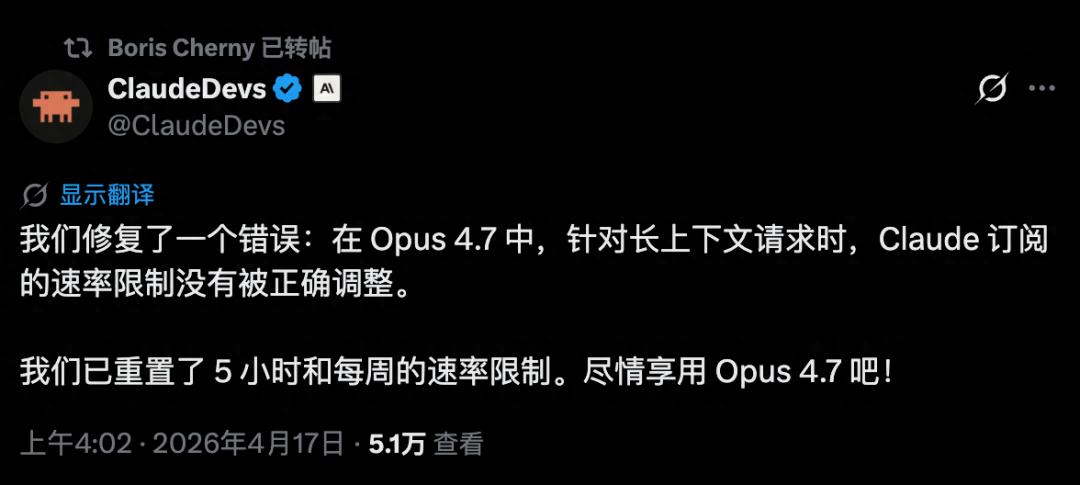
- Pricing: Same as 4.6 - $5 per million tokens for input, $25 per million tokens for output
- Model ID: claude-opus-4-7
- Key Positioning: Enhanced engineering capabilities, threefold visual understanding, safety, and control.
Core Upgrades
-
Programming Capability: Currently the top-tier public model
- SWE-bench Verified: 87.6% (up from 80.8% in 4.6), surpassing Gemini 3.1 Pro (80.6%)
- SWE-bench Pro: 64.3% (up from 53.4% in 4.6), exceeding GPT-5.4 (57.7%)
- CursorBench: 70% (up from 58% in 4.6), showing significant improvement in IDE coding efficiency
- Core Breakthrough: Self-verification mechanism that proactively checks complex tasks; Auto Mode (available for Max/Teams/Enterprise subscriptions) supports parallel tasks without sequential permission confirmations. It can autonomously complete 1,700 lines of code with zero bugs.
-
Visual Capability: 3.75MP high-definition understanding (qualitative leap)
- Long edge image support: 2,576 pixels (up from 860 pixels in 4.6), over threefold increase
- XBOW visual test: 98.5% (up from 54.5% in 4.6), nearly perfect score
- Applicable Scenarios: Complex charts, dense code screenshots, UI designs, high-definition scans, directly readable without preprocessing. This is a significant advantage for RPA, automated testing, and visually intensive tasks.
-
Tool Invocation and Long Tasks: More stable and controllable
- MCP-Atlas: 77.3% (up from 62.7% in 4.6), significantly improved tool invocation success rate
- Cross-session memory: Retains context across tasks, quickly resumes long tasks after interruptions
- Task Budgets (public beta): Set token limits to prevent uncontrolled consumption
- Workplace Value: OfficeQA Pro scored 80.6 (up from 57.1 in 4.6), nearly 30 points higher than GPT-5.4, excelling in complex table/report/contract handling.
-
Safety and Reliability: More stable but with trade-offs
- Malicious injection resistance: reduced from 25.9% to 2.3%, nearly impervious
- Refusal rate improvement: security-related request refusal rate increased from 12% to 33%, limited cybersecurity capabilities
- Core Advantage: Lowest hallucination rate across all models, more willing to say “I don’t know,” resulting in more rigorous outputs.
Clearly Unsuitable Scenarios (Avoid)
- Heavy Internet Research: BrowseComp score of 79.3 (down from 83.7 in 4.6), falling behind GPT-5.4 Pro (89.3) by 10 points
- Cost-sensitive Light Conversations: New tokenizer leads to a 10%-35% increase in token consumption, potentially raising actual bills
- Pure Command Line Operations: Terminal-Bench 2.0 score of 69.4, trailing GPT-5.4 (75.1)
- Free/Low-cost Users: Advanced features like Auto Mode and /ultrareview (three free uses) are only available to paid subscribers.
Recommendations for Different User Groups
-
Developers/Architects (Must Upgrade)
- Applicable Scenarios: Multi-file refactoring, complex feature development, unattended tasks, UI/frontend visual-related development
- Specific Actions: Activate Auto Mode, use /ultrareview for final checks, /effort xhigh for core module tackling, and validate commands to ensure quality
- Benefits: Development efficiency increased by over 50%, bug rate decreased by over 60%, enterprise-level data shows a 56% reduction in invocation counts and a 24% increase in response speed.
-
Content Creators/Office Workers (Strongly Recommended)
- Applicable Scenarios: Long document analysis, data report processing, PPT/design optimization, multi-modal content creation
- Specific Actions: Utilize high-definition visual capabilities to analyze design drafts/charts, use OfficeQA Pro for bulk table processing, and leverage Recaps feature for quick recovery of long task contexts
- Benefits: Document processing efficiency increased by over three times, error rate reduced to below 1%, complex analysis reports completed within an hour.
-
Light Users/Researchers (Not Recommended)
- Light Users: Daily conversations and simple Q&A, 4.6 is sufficient and more economical
- Researchers: For extensive internet searches and academic research, GPT-5.4 Pro is more suitable.
Practical Suggestions (Implementation Steps)
- Small-scale Testing: Compare the effects and token consumption of 4.6 and 4.7 using 1-2 typical tasks (like complex coding or high-definition chart analysis) to confirm that benefits outweigh costs.
- Subscription Choices:
- Personal/Small Team: Choose Max subscription (unlock Opus + Auto Mode), approximately $25 daily
- Heavy Development: Choose Enterprise for bulk discounts and dedicated services.
- Parameter Tuning:
- Daily Tasks: /effort high to balance efficiency and cost
- Core Challenges: /effort xhigh to enhance quality
- Cost Control: Set Task Budgets to avoid uncontrolled token usage.
- Prompt Optimization: 4.7 strictly executes commands literally, no longer “taking liberties,” so instructions need to be more precise and clear.
Summary
Claude Opus 4.7 is “powerful in practice, not just on paper.” It leads in engineering, visual, and office document scenarios among current public models, offering high cost-effectiveness (capability enhancement with unchanged pricing).
Decision in One Sentence:
- For development/visual/office documents → Upgrade immediately, start with small tests before full deployment.
- For heavy research/light conversations → No need to upgrade, stick with 4.6 or choose other models.
Comments
Discussion is powered by Giscus (GitHub Discussions). Add
repo,repoID,category, andcategoryIDunder[params.comments.giscus]inhugo.tomlusing the values from the Giscus setup tool.