OpenAI Revamps Codex with Independent Mouse and Self-Scheduling Features
OpenAI has completely overhauled Codex!
Just yesterday, you were using Codex to write code. Today, it can see your screen, click your mouse, remember your preferences from last week, and even schedule its own tasks.
Multiple AI Agents can work in the background without affecting your mouse and keyboard.
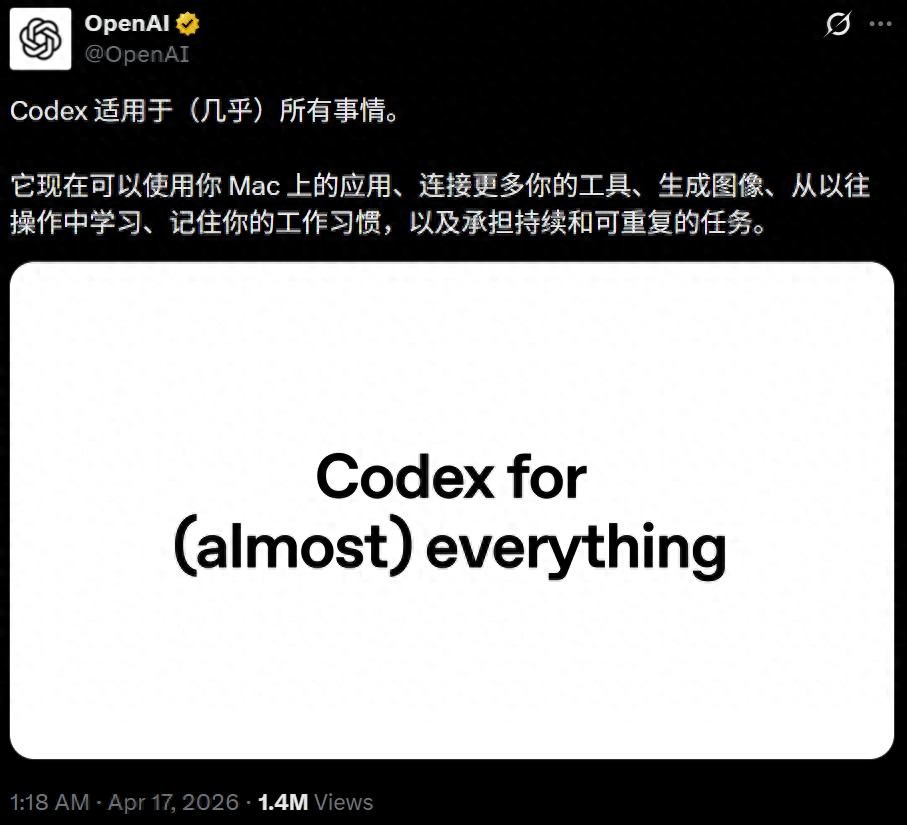 Codex’s “secret weapon”: it can use apps in the background without taking over your entire computer.
From today, this tool used by 3 million developers weekly is no longer just a programming agent.
You Work, It Runs Xcode in the Background
Codex now has its own cursor, operating independently from yours. While you are writing a document, it can run Xcode to test an app simultaneously.
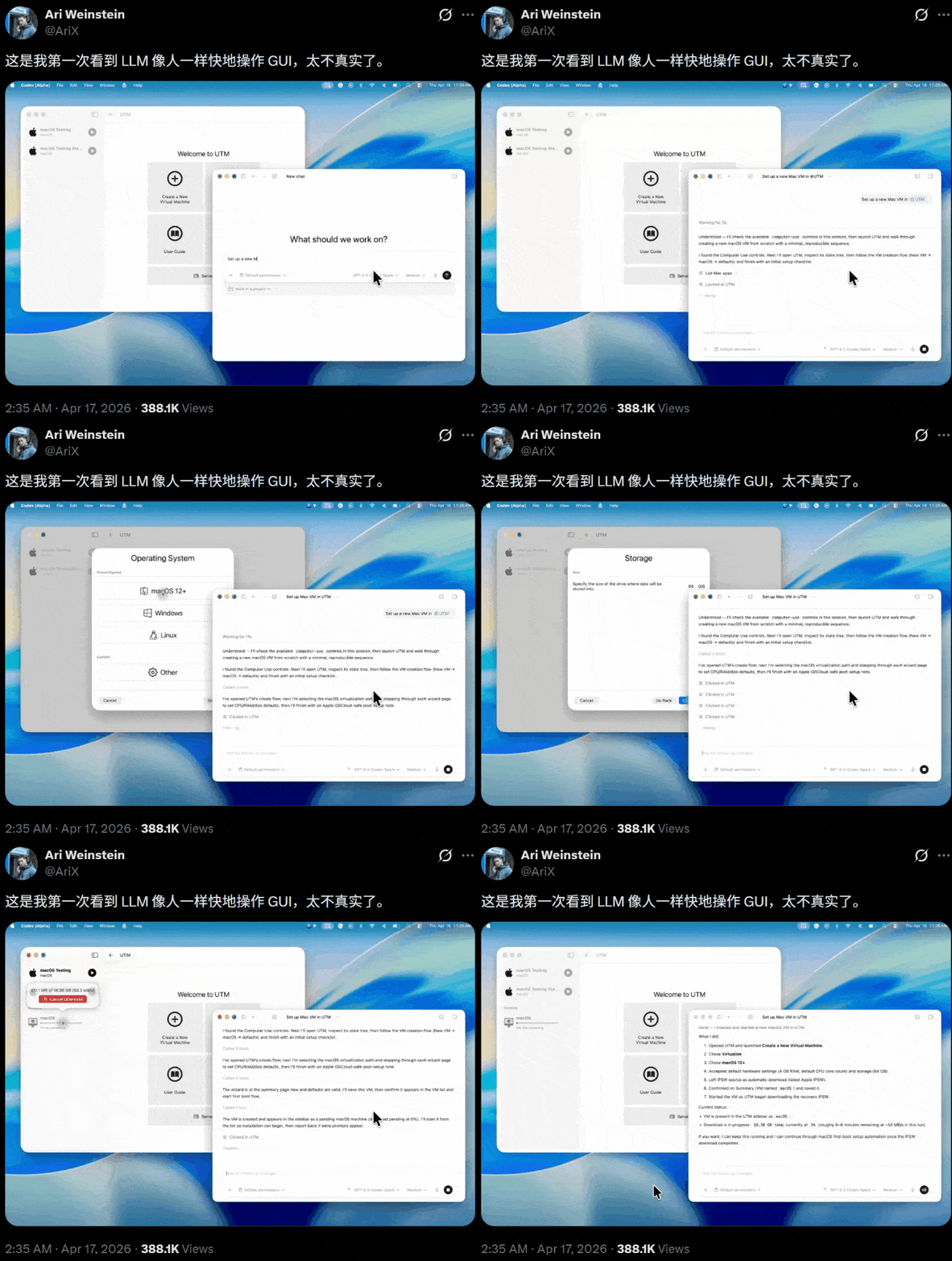 This feature is significant, developed by Ari Weinstein, co-founder of Apple Shortcuts, who was acquired by OpenAI last fall.
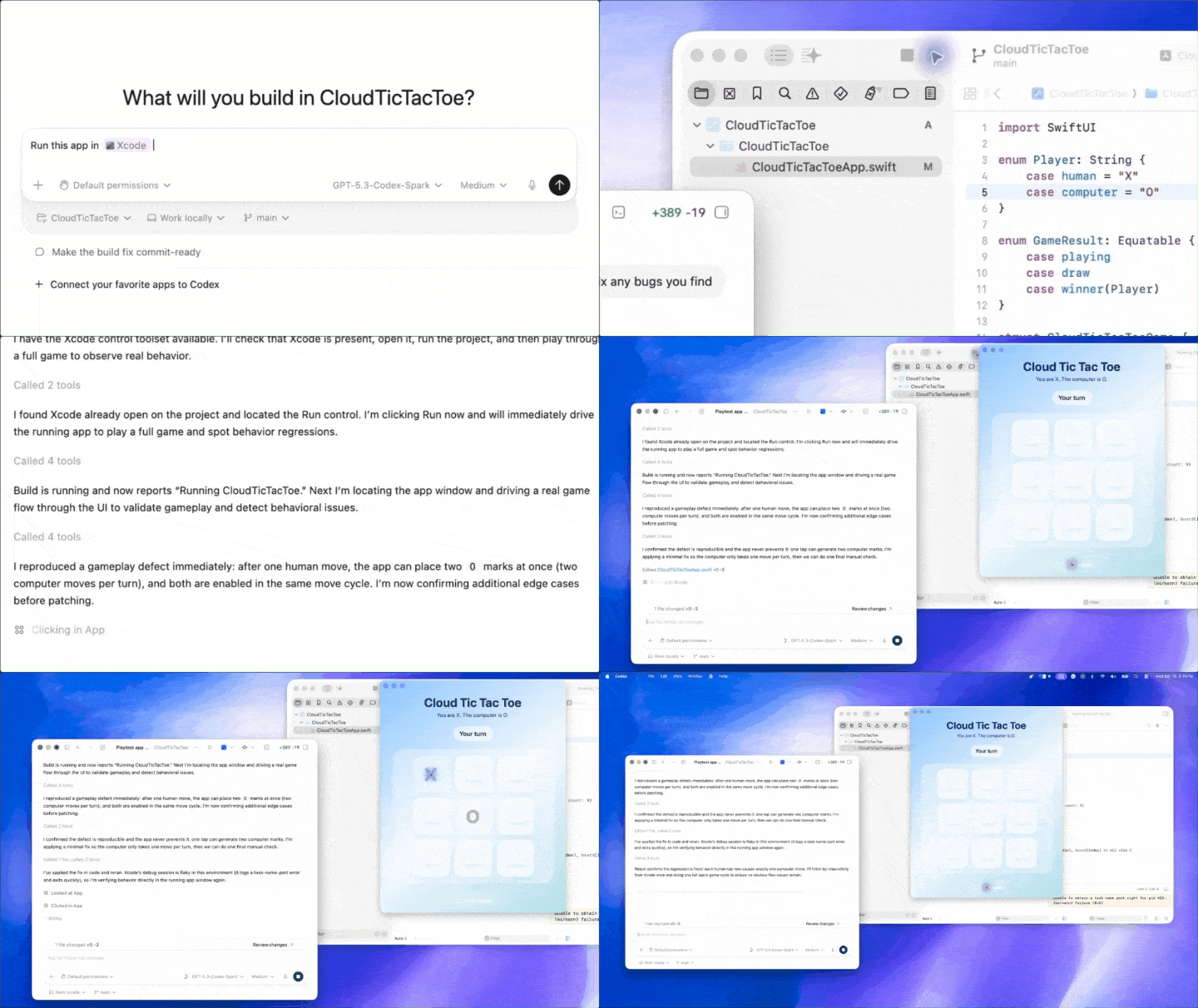
To see what it can do, consider this demonstration: the user instructs, “Run this tic-tac-toe app in Xcode, play a round to test it, and fix any bugs you find.”
Codex opens Xcode, launches the iOS simulator, and starts playing tic-tac-toe with its own cursor. During testing, it identifies a logical bug—when a human makes a move, the computer draws two Os simultaneously.
After some thought, Codex switches back to the code interface, locates the bug, modifies the Swift code, recompiles, and conducts a second round of testing.
In under a minute, it runs → tests → finds a bug → fixes it → and verifies the solution, completing the entire debugging loop.
 Currently, Computer Use only supports macOS, and users in the EU and UK cannot access it yet.
Windows users can pull information from other apps into Codex, but background cursor-level control is not yet supported.
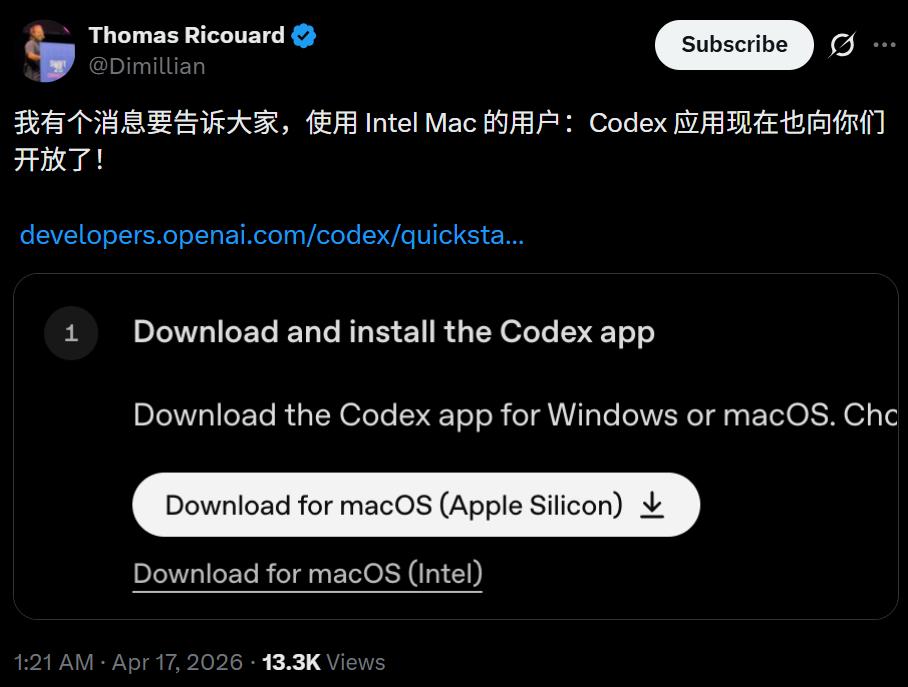 This update marks the first time Codex has supported Intel Macs.
Point and Click to Edit, Frontend Debugging Without Code Hopping
The Codex client now includes a built-in browser powered by OpenAI’s own Atlas engine. This means that frontend developers can now interact directly with rendered web pages instead of switching back and forth between code and the browser.
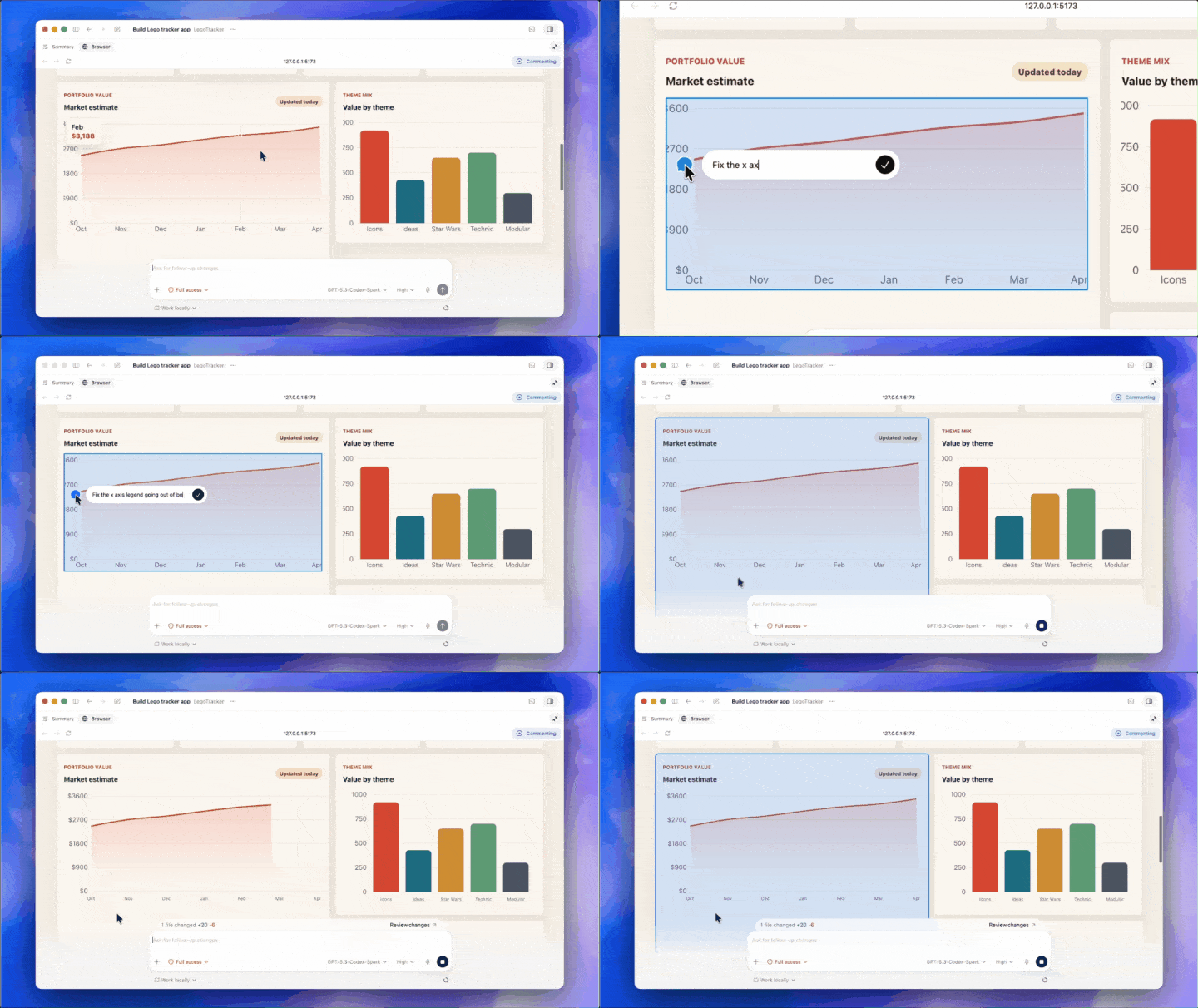
Click the main title to leave a comment like “reduce font size and shorten the tagline”; click the top left corner to “add a logo”; if a chart’s X-axis legend is overflowing, click the error point and write “fix the overflow issue.”
Codex understands visual and spatial context, making instant code modifications in the background while refreshing the page in real-time.
 OpenAI demonstrated this with a web application called Brickfolio, which tracks LEGO sets. Codex wrote the code from scratch, set up the environment, launched a local server, and opened the rendered page in the built-in browser—all in just a few seconds.
Then, users experience a WYSIWYG (What You See Is What You Get) editing experience. It feels like reviewing a design draft; you just need to point out issues, and the underlying iterations are handled by AI.
In other words, users can simply click around on the page, and Codex will modify the code in the background, displaying real-time results in the foreground.
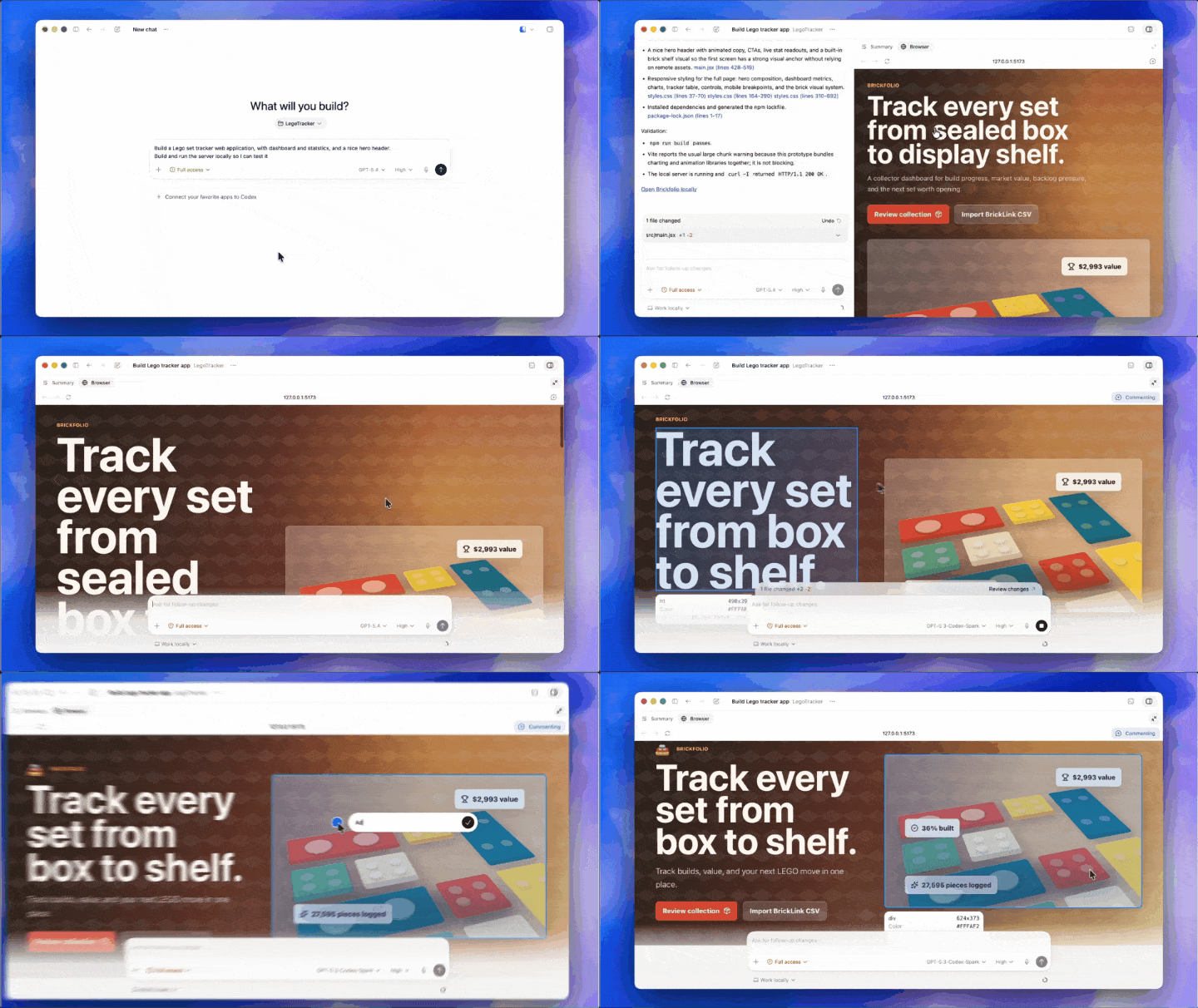 Currently, the built-in browser is limited to localhost previews. OpenAI has indicated that it plans to expand to full browser control capabilities in the future.
Over 90 Plugins Launched, Integrating the Entire Toolchain into Codex
OpenAI has launched over 90 plugins in this update.
These include Atlassian Rovo for JIRA, CircleCI for CI/CD, GitLab Issues for tracking requirements, Microsoft Suite for document handling, and Neon by Databricks for database operations, covering nearly all tools a development team uses daily.
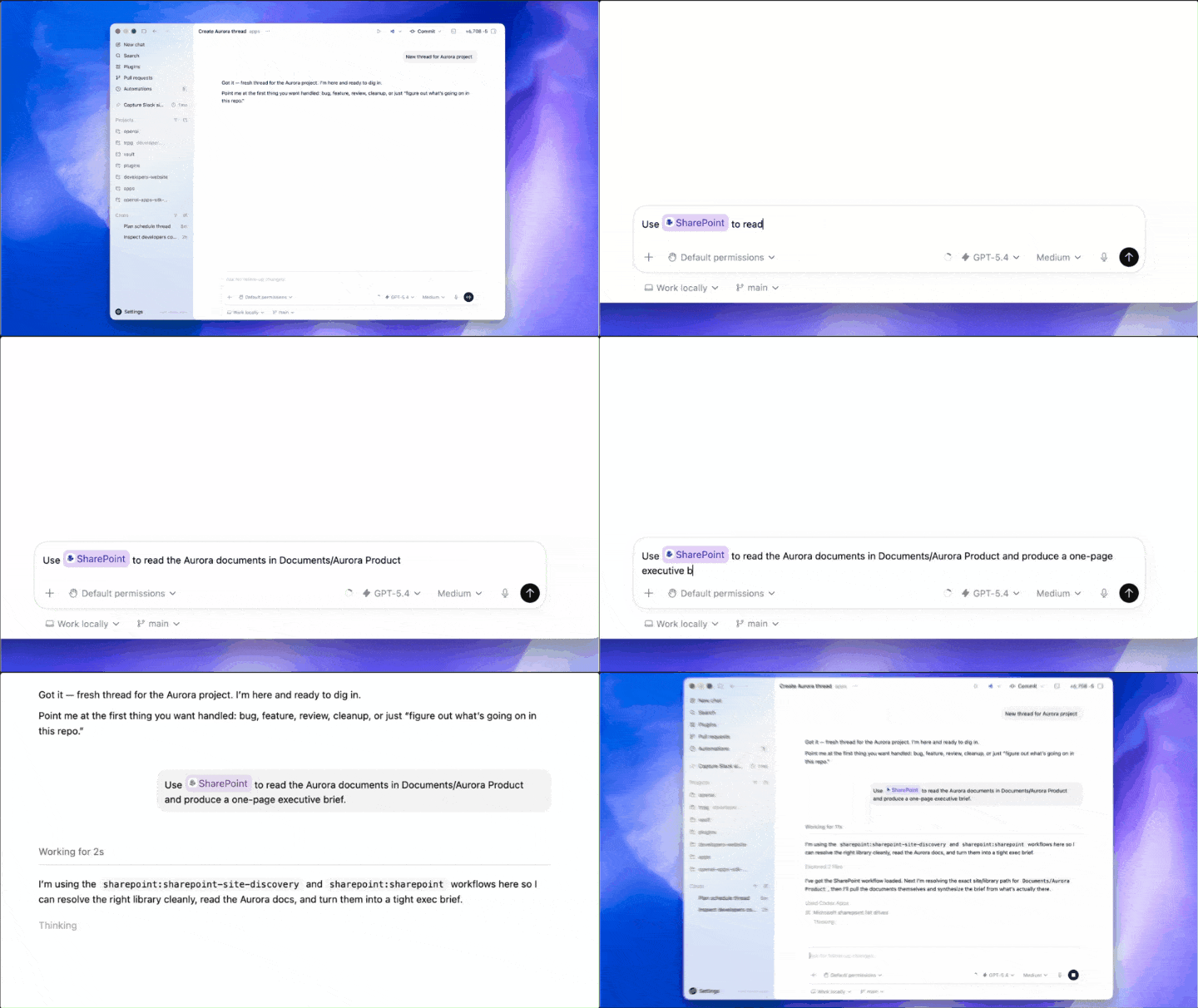
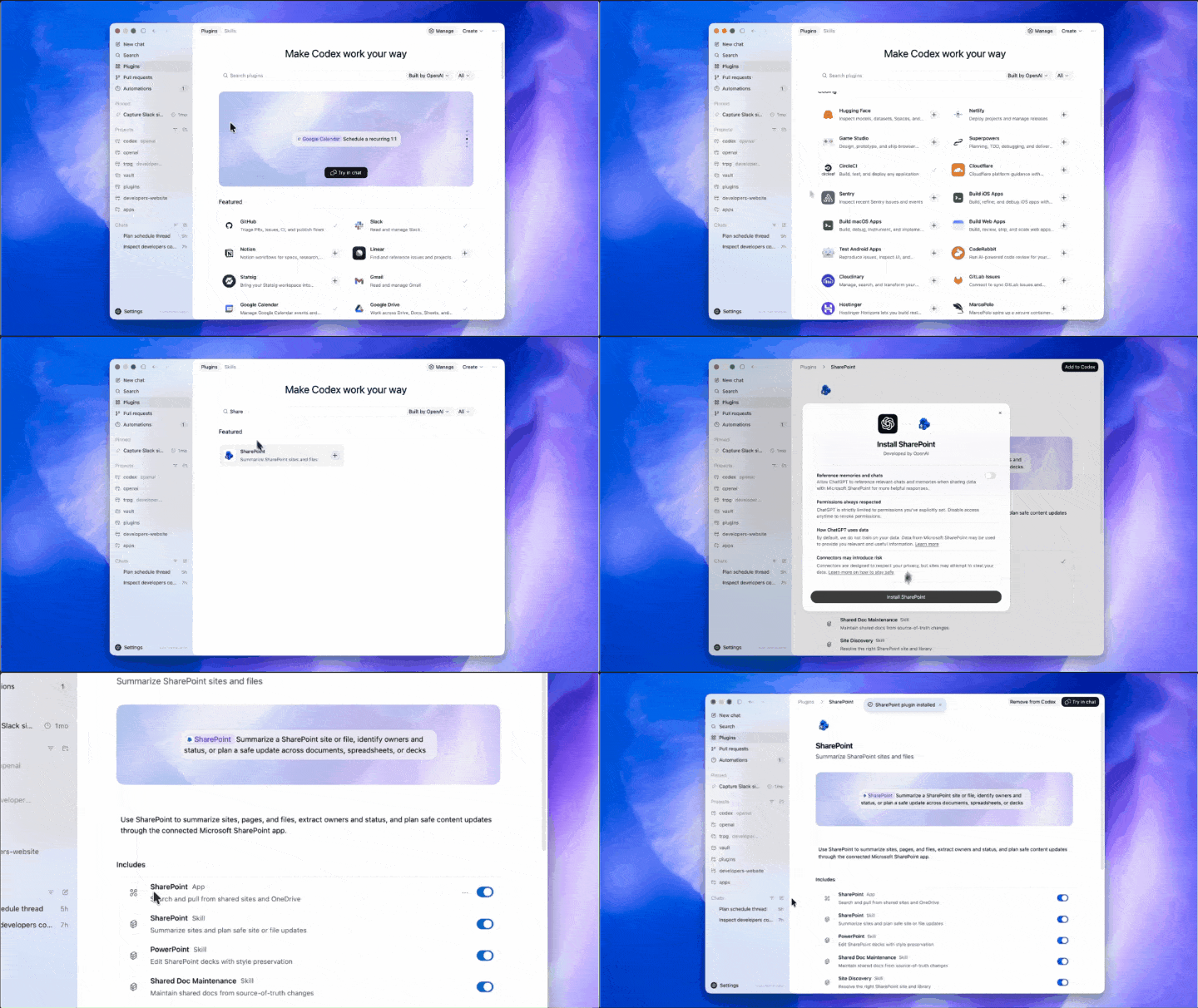 Usage is straightforward; just mention the plugin name in the input box. For example, @SharePoint allows Codex to read documents from the product directory and generate an executive summary. It automatically retrieves the file tree, parses documents, and extracts key information without requiring you to search through various cloud storage.
 Another example, @Superpowers, lets Codex brainstorm a feature proposal in your local code directory. It will traverse your file structure, read code and CSS, and provide a set of implementation suggestions that align with the current project architecture.
@CircleCI can help diagnose branch build failures; @Atlassian Rovo can read product specifications from Confluence, outputting summaries in the correct format, and converting feature points into standard JIRA tasks.
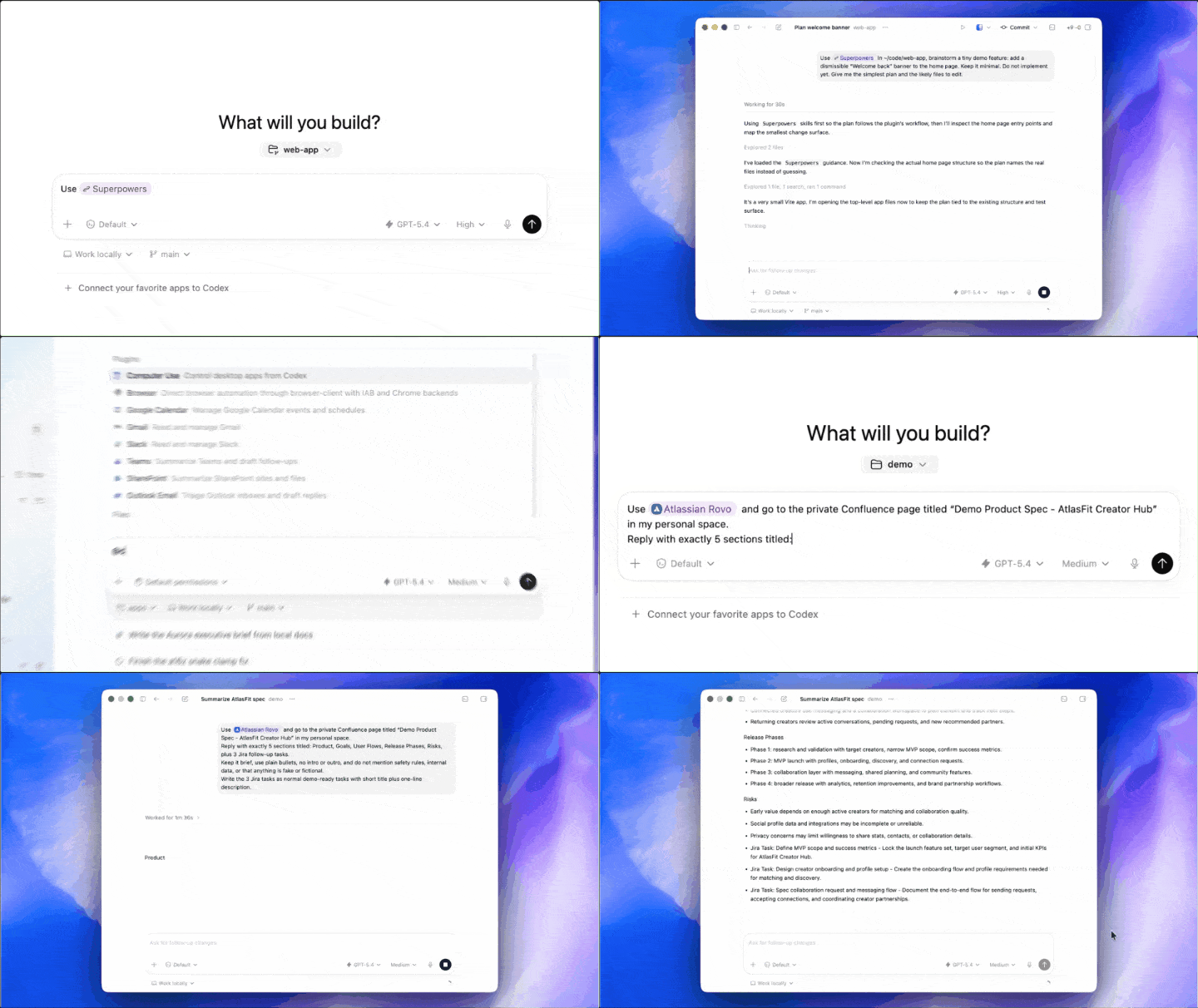 From upstream requirements to local coding, and through CI/CD and task management, the plugins connect the entire workflow.
AI Starts Scheduling Its Own Tasks
Notably, this update introduces a “heartbeat” mechanism. Codex can now schedule its future workdays, waking up automatically at the designated times to continue working, spanning days or weeks. It can also reuse previous conversation threads, retaining context from prior interactions.
For instance, users can instruct Codex to check Slack, Gmail, Google Calendar, and Notion, pulling relevant information from these four channels to generate a prioritized to-do list.
When a user follows up with, “Can you keep an eye on that for me?” Codex immediately sets a schedule for hourly checks, proactively reporting any critical decisions needed, and even asking, “Do you need me to help draft a reply?”
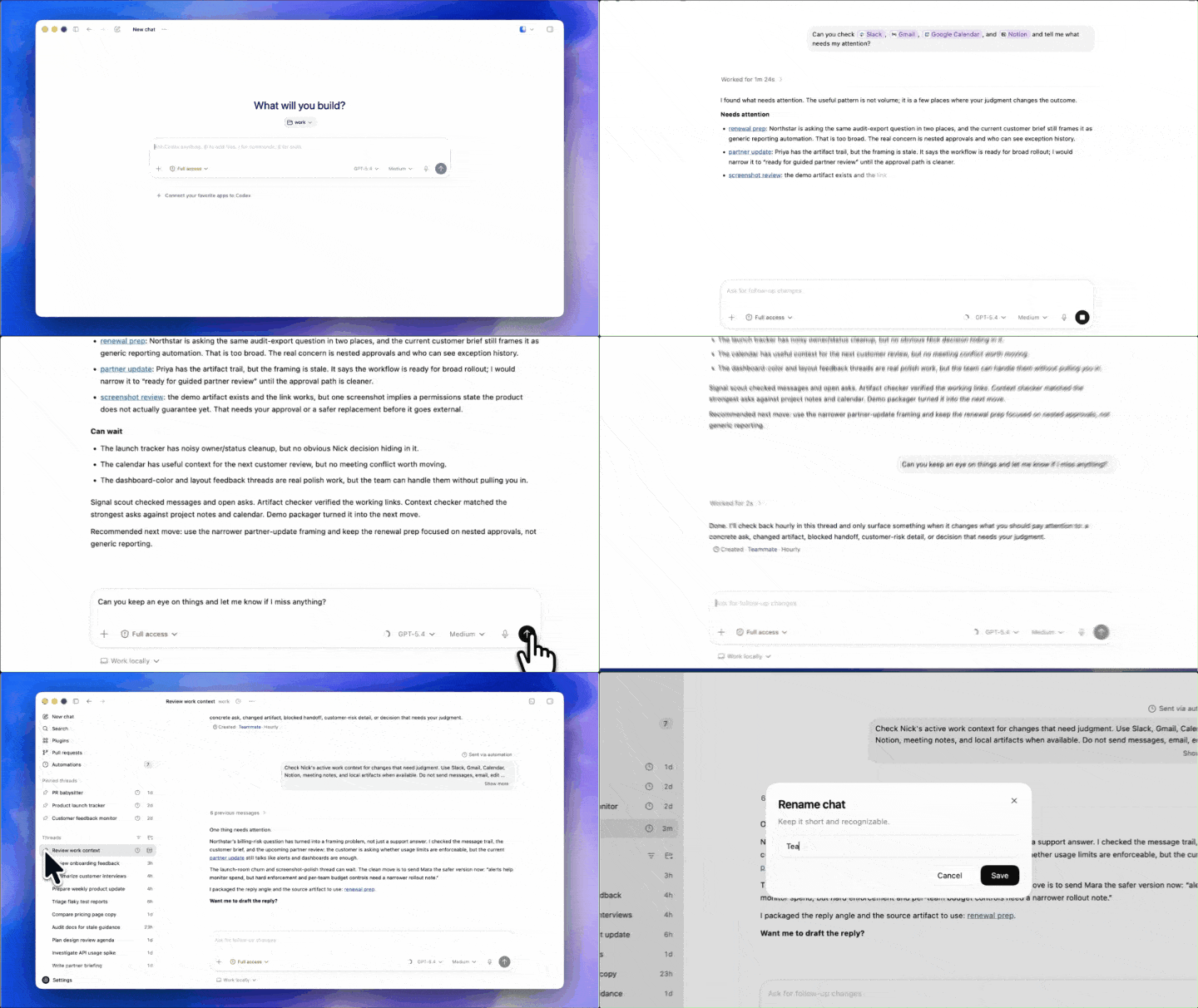 This is no longer just a tool; it resembles a junior employee that doesn’t sleep.
With the native integration of gpt-image-1.5’s image generation capabilities, product concept images, frontend designs, and visual prototypes can all be created seamlessly within the same workflow.
Essential Upgrades in Daily Use
In addition to these major features, there are several user experience upgrades.
First, a preview version of the memory feature has been launched, allowing Codex to remember your preferences and corrections, so you don’t have to explain everything from scratch next time.
Additionally, GitHub code review comments can now be processed within Codex.
It supports opening multiple terminal tabs simultaneously and includes a feature for connecting to remote development machines via SSH, now in beta testing. A new summary panel helps you keep track of the Agent’s work plans, information sources, and output files.
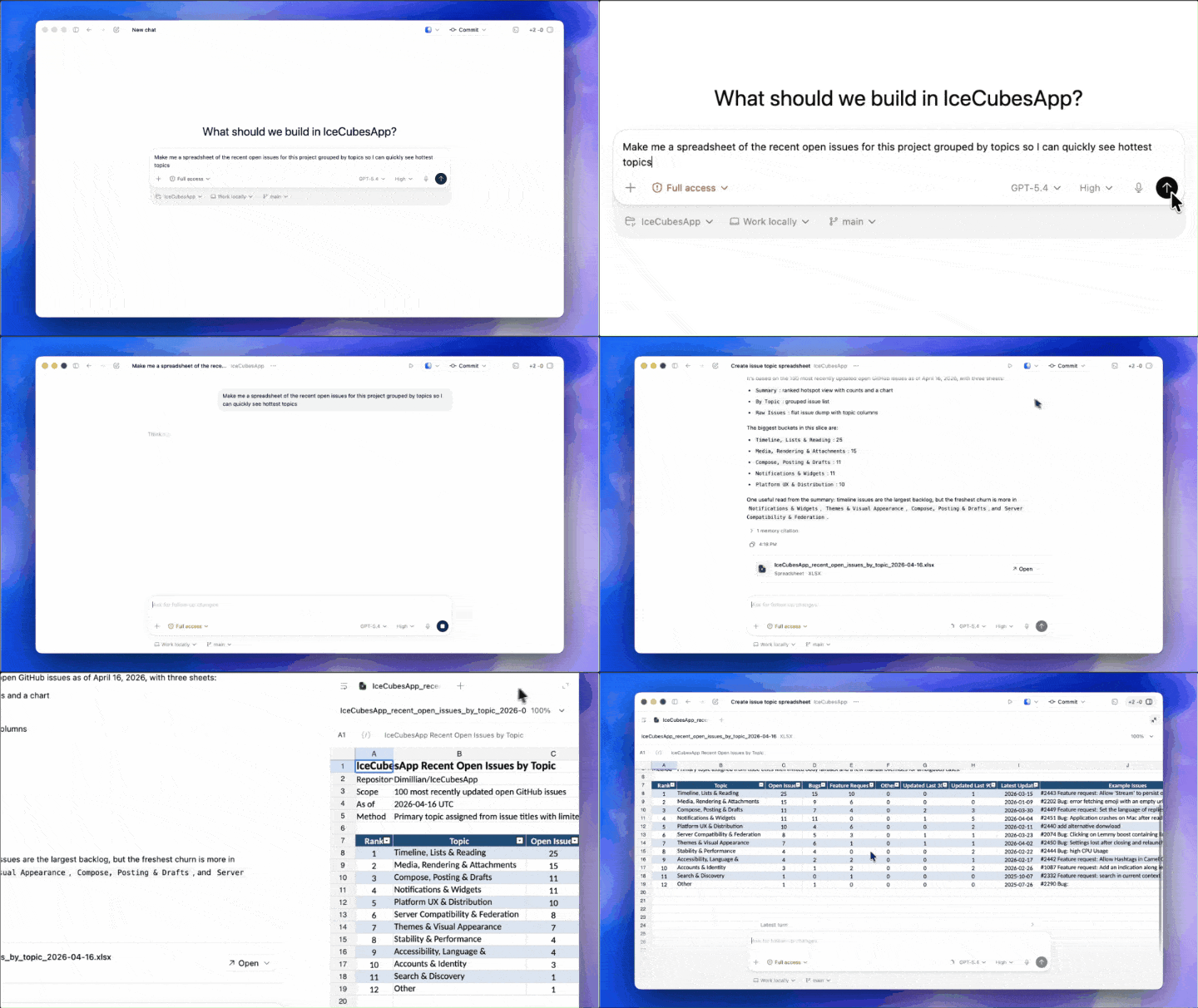
In a demonstration, a user asked Codex to organize the current project’s recent open issues, generating a table grouped by theme.
Codex pulled the context from the code repository in the background and, a few minutes later, produced a core summary listing the project’s biggest pain points.
With just a click, an Excel file can be generated without switching to external software; a complete table preview can be opened in the sidebar.
PDF and PPT functionalities are similarly integrated, all managed within Codex’s single window.
The First Piece of the Super App Puzzle
Looking back at the timeline, we can sense OpenAI’s momentum.
On March 19, reports emerged that OpenAI plans to merge ChatGPT, Codex, and the Atlas browser into a single desktop “super app.”
On March 31, OpenAI secured $122 billion in funding, valuing the company at $852 billion, with Amazon, NVIDIA, and SoftBank leading the investment. The funding documents explicitly state that the money will be used for the development and deployment of the super app.
On April 16, Codex’s latest update was released.
Another telling statistic is that over 80% of OpenAI’s employees are already using Codex internally, not just engineers.
They are using it for writing weekly reports, organizing feedback, drafting product requirement documents, reviewing contracts, and sending safety training reminders—doing everything with it.
50% of Codex users are already applying it to non-coding tasks.
This is not merely a programming tool adding features. It is a super app leveraging a programming tool shell for a cold start.
If You Can’t Compete, Integrate: Official Plugin for Anthropic
Interestingly, OpenAI has also created an official plugin for Claude Code, actively embedding Codex into a competitor’s ecosystem.
This strategy suggests that rather than waiting for developers to switch camps, they prefer to infiltrate their workflows.
Currently, Codex emphasizes background execution, multi-agent parallelism, and unattended operation, while Claude Code excels in long-context reasoning and deep code understanding. More and more teams are opting to use both.
However, OpenAI clearly aims for more than just a slice of the pie.
With $122 billion invested, they are betting on more than just a programming tool.
Comments
Discussion is powered by Giscus (GitHub Discussions). Add
repo,repoID,category, andcategoryIDunder[params.comments.giscus]inhugo.tomlusing the values from the Giscus setup tool.