Introduction
Skills will officially launch by Anthropic at the end of 2024 and gain popularity by the end of 2025. But what exactly are Skills? Are Claude Skills a true productivity booster or just a rebranding of old concepts? This article breaks down the entire process from basic concepts and installation to practical projects, validating their effectiveness.

01 Understanding Skills, MCP, and Claude Skills
In building large model applications, terms like “Agent” and “Tools” are frequently used. However, as the tech stack evolves, more granular levels have emerged: Skills and MCP (Model Context Protocol).
Many developers confuse these two or think they are the same. In fact, they address different dimensions of deploying large models.
a. What are Skills?
Definition: Skills are essentially procedural knowledge or standard operating procedures for large models. They are not just code but instructions that tell the model how to approach specific tasks, what steps to follow, and which strategies to use.
Simplified Understanding: If we compare a large model to a newly hired intern:
- They are smart and have read many books (pre-trained knowledge) but do not know your company’s specific processes.
- Skills are like the “employee handbook” or “operating guide” you provide to them. For example: “When a customer requests a refund, first check the order status, then verify the amount, and finally call the refund interface.”
Technically, Skills are usually a set of Prompt templates, orchestration logic, or lightweight scripts that empower the model to handle specific scenarios (like “writing code”, “analyzing financial reports”, or “booking tickets”).
b. What is MCP?
Definition: MCP is an open standard protocol introduced by organizations like Anthropic. Its core purpose is to standardize how large models connect with the external world, specifying how models “see” external data (Context) and how they “call” external tools (Tools).
Simplified Understanding: Continuing with the intern analogy:
- While they have the “operating guide” (Skills), they lack access to the company system and cannot connect to the printer.
- MCP is like a “universal interface” or “universal socket”.
- It provides the intern with a universal key, allowing them to safely connect to local databases, GitHub repositories, Slack message records, or your file system.
Why is MCP needed? Before MCP, if you wanted ChatGPT to connect to a database, you had to write a set of plugins; if you wanted Claude to connect to GitHub, you had to write another. MCP enables a “common language” between all models and tools, allowing you to write an interface once and use it everywhere.
c. Differences and Connections between Skills and MCP
This is the most confusing part, which can be illustrated with the analogy of a chef cooking:
| Dimension | Skills | MCP |
|---|---|---|
| Role Analogy | Recipe / Cooking Technique | Ingredient Library / Kitchen Tool Interface |
| Core Function | How (to do it) | What (to use) |
| Existence Form | Markdown documents, System Prompts, Logic scripts | Server services, API interfaces, standardized data flows |
| Typical Example | “Steps for conducting a code review” | “API interface to connect to GitHub for code repository content” |
Their Connection (Collaborative Work): A powerful Agent is often a combination of Skills + MCP.
- Scenario: You want AI to help you “refactor a Python project code”.
- MCP provides capability: Through the MCP Server, AI gains the ability to read local files and run the Python interpreter.
- Skill provides wisdom: Through the Refactor Skill, AI learns the best practice process of “understanding architecture first, then writing test cases, and finally modifying code”.
In summary: MCP gives the model “hands” to interact with the world; Skills provide the model with “brain circuits” to teach it how to skillfully use those hands.
02 What are Claude Skills?
Definition: Claude Skills are the specific implementation of the concept of Skills within Anthropic’s ecosystem (such as Claude Desktop App or Claude Code).
They are not just an abstract concept but a concrete functional feature. Developers can create simple Markdown files or scripts, place them in a specific configuration folder, and Claude will automatically read these files at runtime, instantly “learning” specific workflows.
Features of Claude Skills:
- Lightweight: No complicated fine-tuning is needed; just writing a .md file is sufficient.
- Context-aware: They can be dynamically loaded into conversations.
- Portable: As files, they can easily be shared within the developer community (for example, sharing a Skill for “automatically writing Git commit messages”).
03 Installation Process for Claude Code
Now that we understand the principles, let’s dive into practice. Installing Claude Code in the terminal is quite simple and requires just one command.
Note: Due to different computer environments (Windows/Mac), specific Node.js environment setups can be referenced in detailed online tutorials; here, we will only cover the core steps.
a. Core Installation Command
Regardless of whether you are a Windows or Mac user, after setting up the environment, simply execute the following command in the terminal to complete the installation:
npm install -g @anthropic-ai/claude-code
b. Key Configuration: Using API Proxy (Pitfall Guide)
Here, we will focus on authentication configuration.
The default login method is to redirect to a browser for authorization, but as is well known, Claude’s account risk control is extremely strict (and can easily lead to account bans), and it has high network environment requirements.
To ensure stable usage, I opted not to connect directly with the official account but chose to purchase an API Key for the proxy configuration.
The benefits of this approach are obvious:
- More stable: No worries about sudden account loss.
- Pay-as-you-go: Manage quotas through the proxy, allowing Claude Code to run in the terminal via API Key.
After configuring the API Key and Base URL, we can bypass the complex official login verification and directly connect the terminal to the “brain”.
c. Successful Run Display
After completing the configuration, entering claude in the terminal and seeing the following interface indicates that this step has been successfully completed!
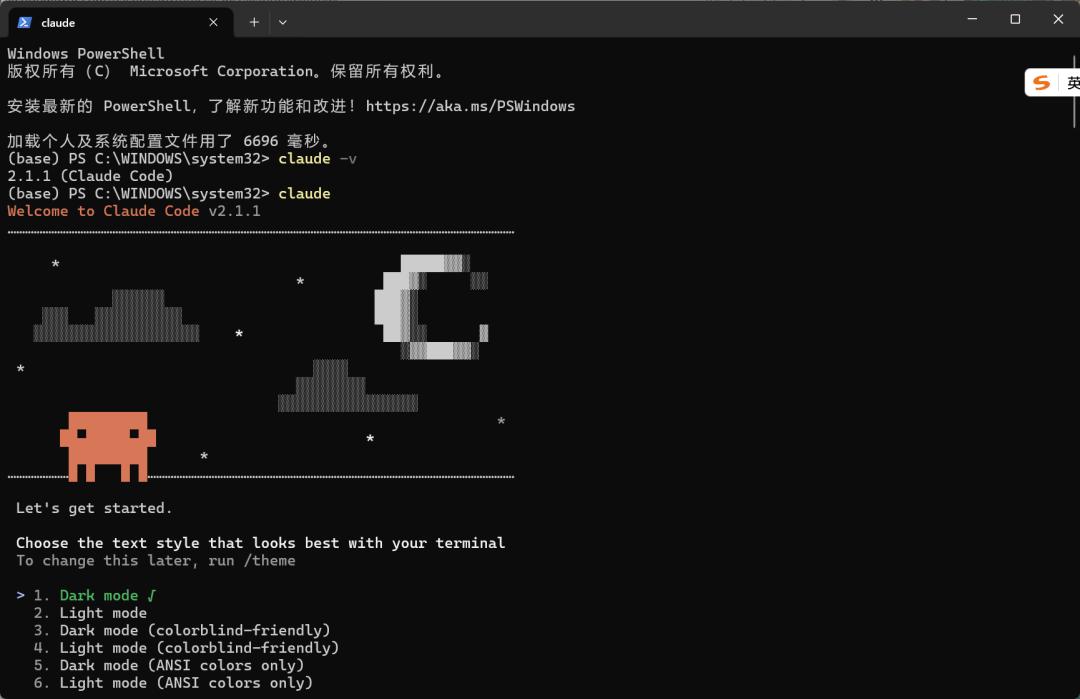
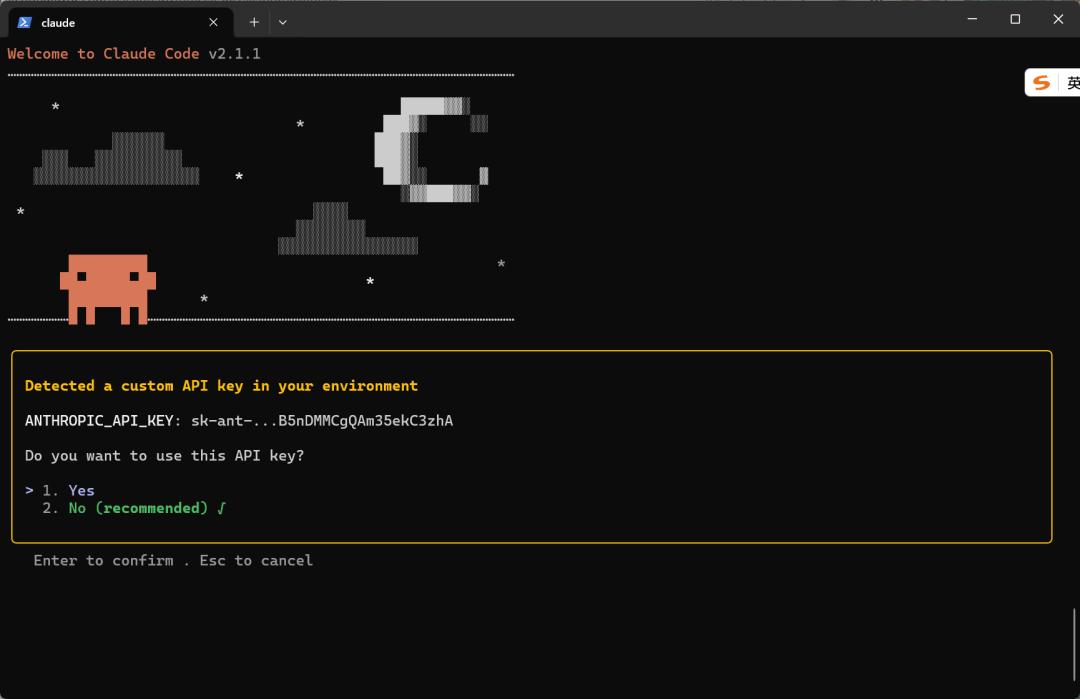
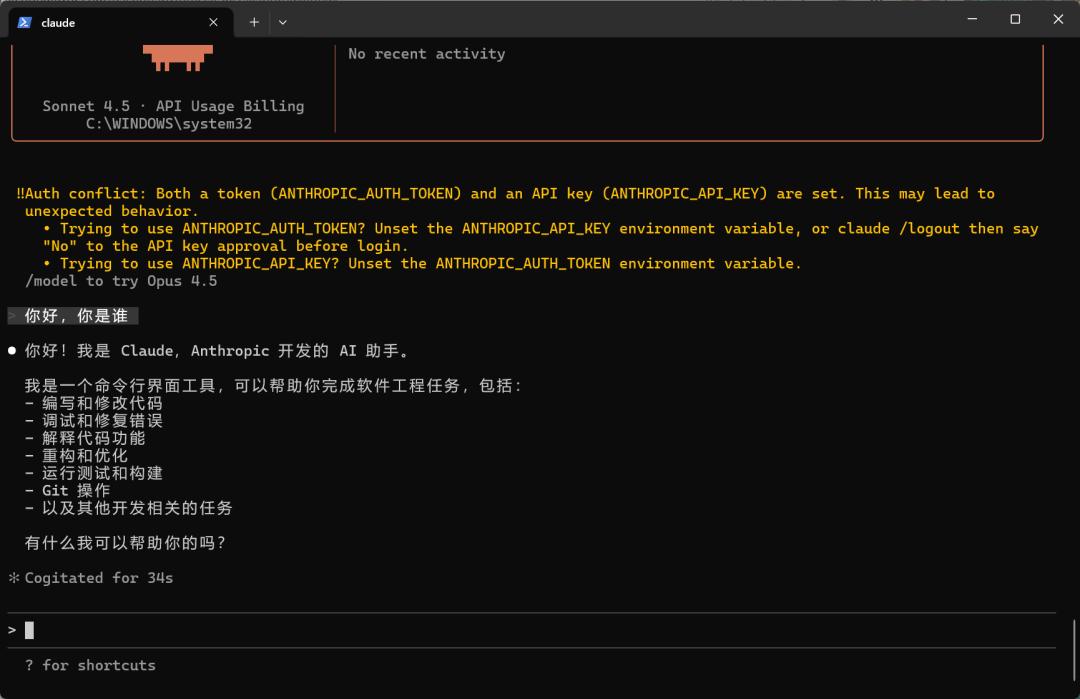
(As shown, the terminal has been successfully initialized and can interact.)
04 Hello World — Pure Command Skill
This is the most basic form, essentially turning a Prompt into a system-level command.
File Structure: Create a folder under the .claude/skills directory (the folder name is the Skill name).
.claude/
└── skills/
    └── hello/
        └── SKILL.md      # The only required file
Content of SKILL.md: This file consists of two parts:
- YAML Header (Frontmatter): Located between
---, it tells the system the name of the Skill and when it should be triggered (Description is crucial). - Markdown Instructions: Instructs Claude on what to do specifically.
---
name: hello
description: Used when the user greets or wants to test if the skill function is working properly.
---

# Hello Skill

## Instructions
When the user calls this skill:
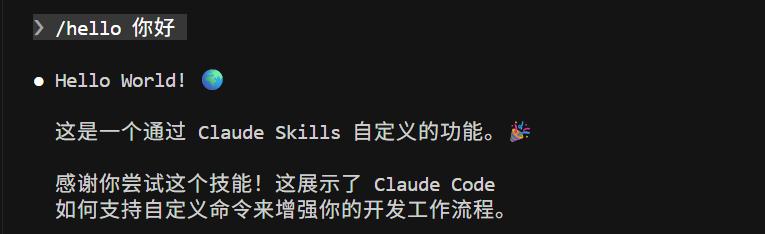
1. Warmly greet the user with "Hello World!"
2. Inform the user that this is a custom function created through Claude Skills.
3. Add an interesting emoji.
- Trigger Mechanism: Users do not need to type
/helloevery time. As long as the user’s question matches the description in the description (like asking “What functions do you have?” or “Say hello”), Claude will intelligently determine and automatically mount this Skill. - Zero Code: At this stage, no Python or Bash code needs to be written; it relies solely on natural language programming.
05 Adding “Plugins” — Including Executable Files
In addition to letting Claude “speak”, we can also make it “do things”. This is the powerful aspect of Skills: they can carry scripts.
File Structure: We usually create a scripts subdirectory to keep things tidy.
.claude/skills/
└── date-calculator/
    ├── SKILL.md
    └── scripts/
        └── calc_days.py  # The specific Python script
Changes in SKILL.md: In the instructions, we need to explicitly tell Claude to “run this script” rather than guessing.
---
name: date-calculator
description: Calculate the difference in days between two dates.
---

# Date Calculator

## Instructions
When the user wants to calculate the date difference:
1. Extract the start date and end date provided by the user.
2. Run the following script to obtain accurate results (do not calculate yourself):

   ```bash
   python scripts/calc_days.py <start_date> <end_date>
### Script File (calc_days.py):
#!/usr/bin/env python3 """ Calculate the difference in days between two dates. Usage: python calc_days.py <start_date> <end_date> Date format: YYYY-MM-DD """ import sys from datetime import datetime
def calculate_days_between(start_date_str, end_date_str): """ Calculate the difference in days between two dates. Args: start_date_str: Start date string (YYYY-MM-DD) end_date_str: End date string (YYYY-MM-DD) Returns: Difference in days (absolute value) """ try: start_date = datetime.strptime(start_date_str, “%Y-%m-%d”) end_date = datetime.strptime(end_date_str, “%Y-%m-%d”) days_difference = abs((end_date - start_date).days) return days_difference except ValueError as e: print(f"Error: Incorrect date format. Please use YYYY-MM-DD format.") print(f"Detailed error: {e}") sys.exit(1)
def main(): if len(sys.argv) != 3: print(“Usage: python calc_days.py <start_date> <end_date>”) print(“Date format: YYYY-MM-DD”) print(“Example: python calc_days.py 2024-01-01 2024-12-31”) sys.exit(1) start_date = sys.argv[1] end_date = sys.argv[2] days = calculate_days_between(start_date, end_date) print(f"From {start_date} to {end_date} is {days} days apart.")
if name == “main”: main()
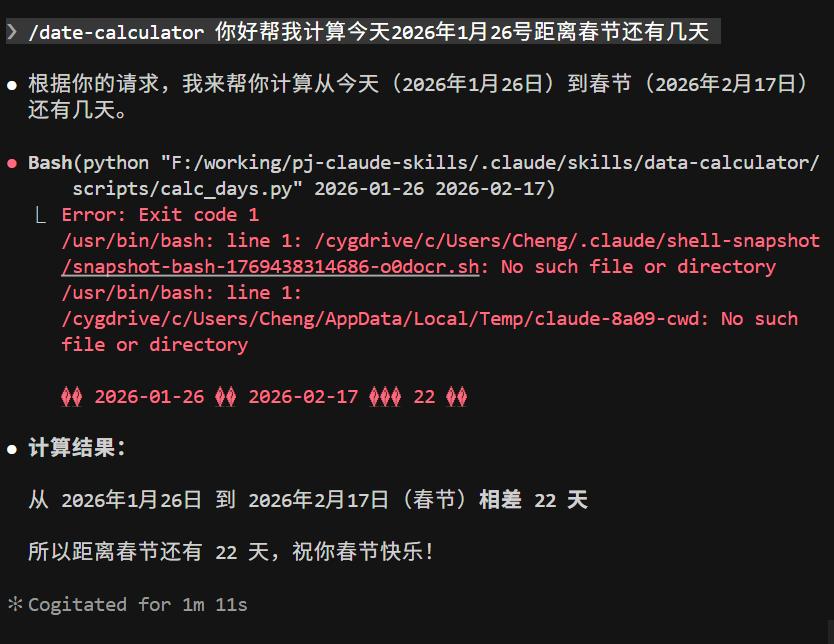
Calculating the number of days from today (January 26, 2026) to the Spring Festival yields an accurate answer:
Having learned to let Claude run simple Python scripts, we can not only calculate dates but also involve it in core code development. Next, we will use Skills to build an Agent with the **thinking of a senior engineer**.
## 06 Project Practice — Architect and Senior Developer Skills
In complex AI Agent development, the ability to replicate (or transfer learning ability) distinguishes junior engineers from senior engineers. Junior engineers only write code from scratch, while senior engineers understand:
- Reading existing architecture - Understanding project design philosophy and technology selection
- Following design patterns - Ensuring new code aligns with existing frameworks
- Reusing in new scenarios - Quickly applying mature frameworks to new projects
This is the core capability that the Claude AI engineer Agent should possess. To achieve this, we use Claude Code's Skills to implement a set of custom, reusable engineering practice standards.
### 1. Overview of Skills File Structure
.claude/skills/ ├── understand/ # Architect Skill │ ├── SKILL.md # Skill Definition │ └── template.md # Architecture Document Template └── feature/ # Senior Developer Skill └── SKILL.md # Skill Definition
Core Concept: Understand first, then implement, ensuring code changes always adhere to established architectural standards.
### 2. Understand Skill - The Architect's Eye
**Function**: Deeply analyze project architecture and generate structured architecture documentation.
**Run Command**: /understand
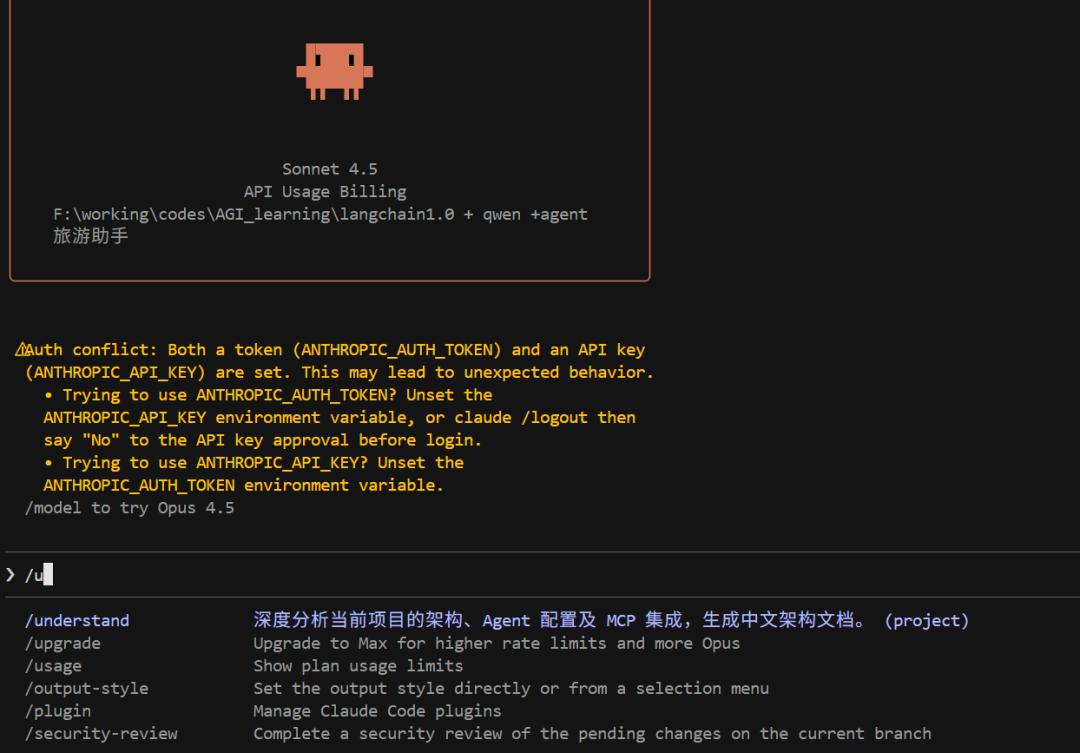
**Skill Definition**: Deeply analyze the current project architecture, Agent configuration, and MCP integration to generate architecture documentation in Chinese.
**Execution Process**:
1. **Information Gathering (Detective Mode)**
2. Browse project file structure and dependencies.
3. Use grep to search for keywords: mcp, LangChain, agent, middleware, etc.
4. Extract core configurations and design decisions.
5. **Write Report (Output in Chinese)**
6. Generate architecture documentation based on actual project code.
7. **Must reference real code snippets and line numbers** (no hallucinations allowed).
8. Include: tech stack, system architecture, MCP integration, middleware mechanisms, etc.
9. **Mandatory Archiving**
10. Automatically generate docs/ARCHITECTURE.md file.
11. **Note**: This file will become the "constitution" for all future development.
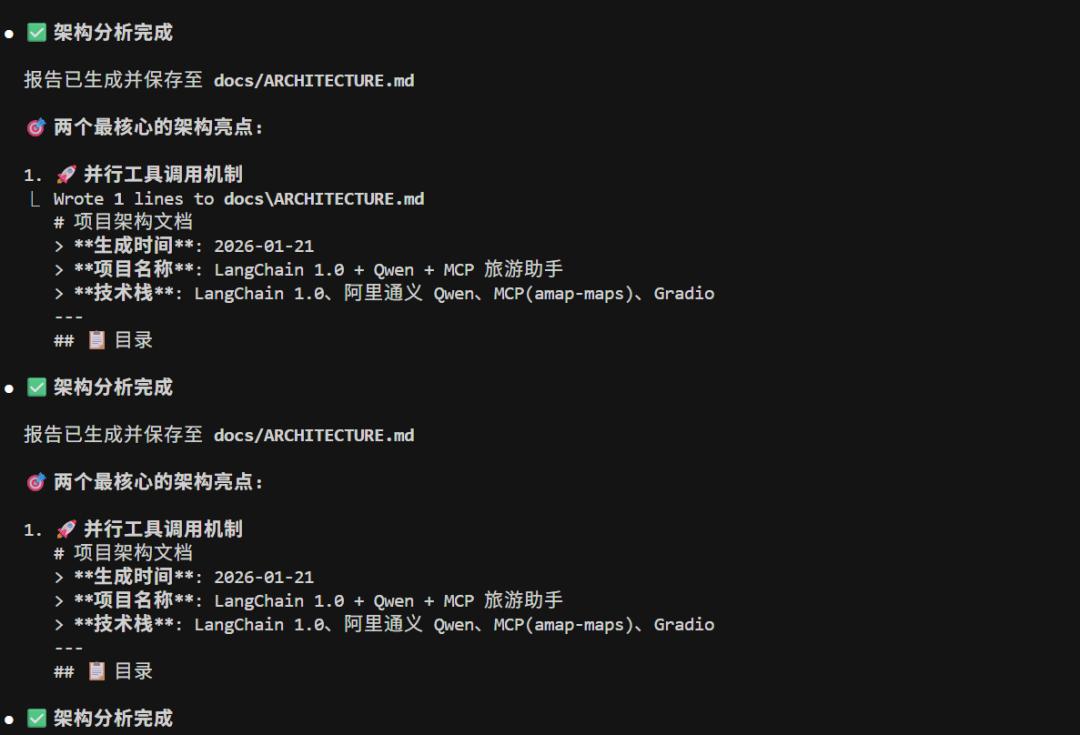
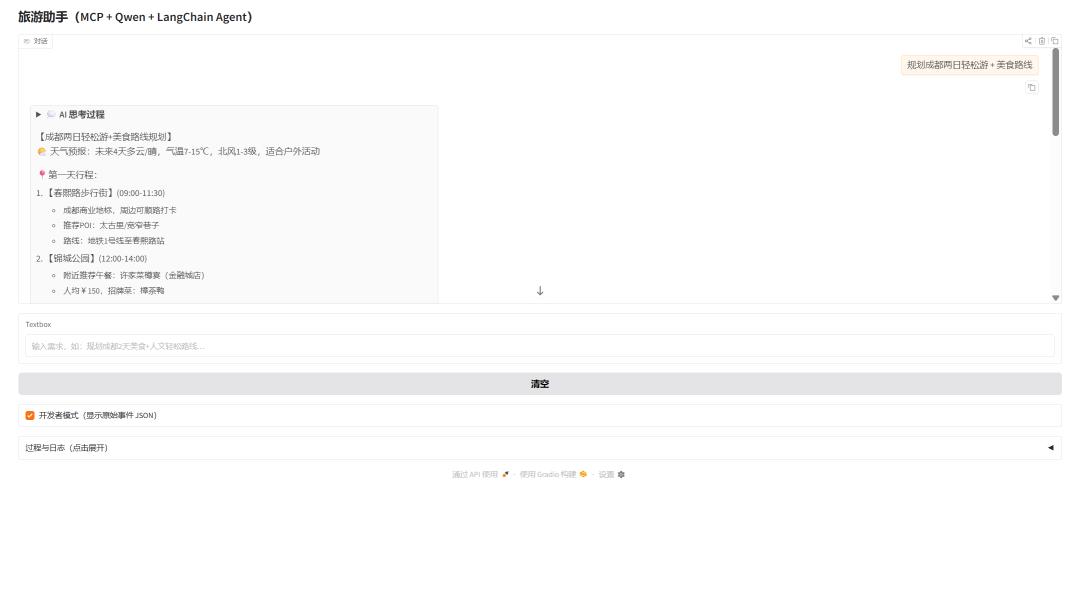
**Output Example (using the current project - Travel Assistant as an example):**
Project Architecture Documentation
Core Tech Stack
| Technology | Version | Purpose |
|---|---|---|
| LangChain | >=1.0.0 | Agent Framework |
| langchain-mcp-adapters | >=0.0.8 | MCP Tool Adapter |
| Qwen | qwen-turbo | AI Inference |
| Gradio | >=4.1.0 | Web UI |
System Architecture
┌─────────────────────┐ │ Gradio Web UI │ └──────────┬──────────┘ ▼ ┌─────────────────────┐ │ Agent Core Layer │ (agent.py) │ ├─ ChatTongyi │ │ └─ Middleware │ (middleware.py) └──────────┬──────────┘ ▼ ┌─────────────────────┐ │ MCP Tool Layer │ (tools.py) │ └─ Gaode Map API │ └─────────────────────┘
### 3. Feature Skill: The Senior Engineer's Scalpel
**Function**: Safely implement new features or optimize code under the guidance of ARCHITECTURE.md.
**Run Command**: /feature
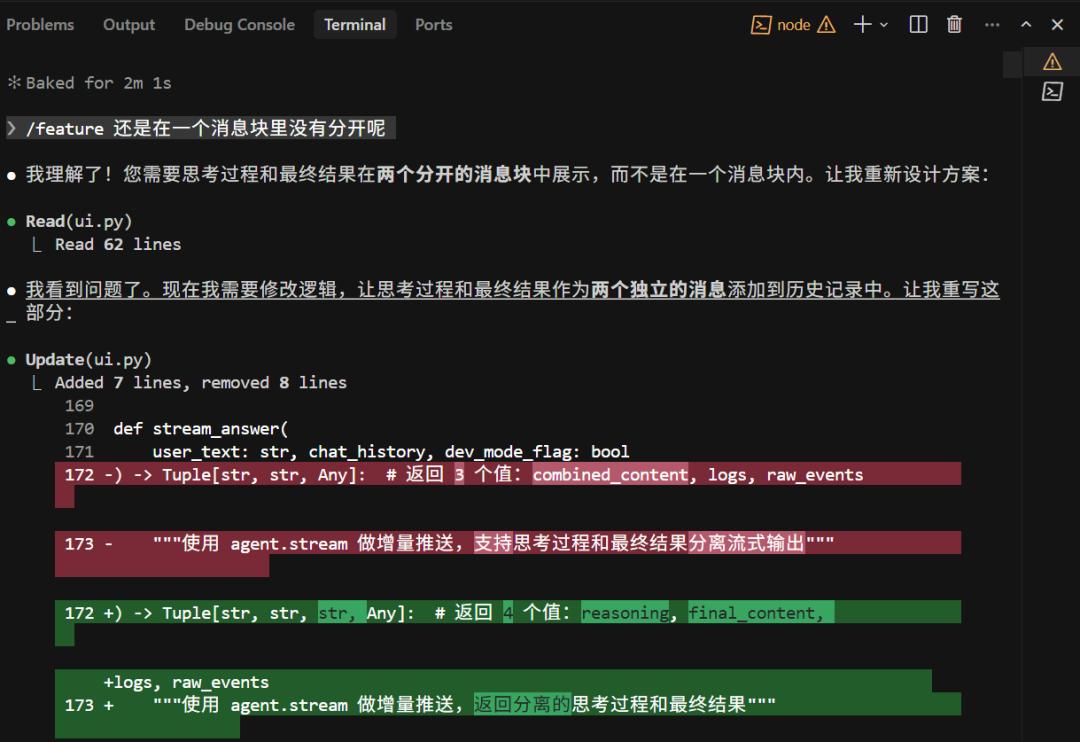
**Skill Definition**: Safely implement new features or optimize existing code based on the specifications in docs/ARCHITECTURE.md.
**Execution Process**:
1. **Load Context (Must Read)**
2. Prioritize reading docs/ARCHITECTURE.md.
3. Understand core tech stack and design patterns.
4. Ensure code changes comply with existing standards.
5. **Localization and Planning**
6. Use grep to find related code files.
7. **First understand existing logic, then devise a modification plan**.
8. Do not modify code directly; first report the modification plan to the user.
9. **Code Implementation**
10. Maintain consistency with the existing project's code style.
11. Refer to pattern examples in the architecture documentation (like MCP tool wrapping, middleware interception).
12. **Self-Validation**
13. Check if modifications disrupt existing configuration structures.
14. Ensure no violations of design principles in the architecture documentation.
Ultimately, we completed further optimization of the project code through Claude Skills, showcasing the deep thinking process involved in the modifications.
Comments
Discussion is powered by Giscus (GitHub Discussions). Add
repo,repoID,category, andcategoryIDunder[params.comments.giscus]inhugo.tomlusing the values from the Giscus setup tool.